There’s a quiet revolution happening in design studios around the world. Designers are opening their laptops, typing a prompt, and watching artificial intelligence attempt to do what once took hours of careful Photoshop work. But when it comes to something as deceptively simple — yet critically important — as a business card mockup, can AI actually deliver?
We decided to find out.
What We Actually Mean by “Perfect”
Before running any tests, it’s worth defining the target. A truly useful business card mockup isn’t just a flat rectangle with a logo slapped on it. It needs realistic shadows, believable paper texture, accurate color rendering, and enough compositional polish that a client looks at it and thinks: yes, that’s what I want printed.
That’s a surprisingly high bar. And it’s exactly where things get interesting.
How AI Tools Performed in Our Tests
We tested several AI image generators — Midjourney, DALL·E 3, and Adobe Firefly — asking each to produce photorealistic business card mockup scenes. Here’s what we found:
- Midjourney produced the most aesthetically pleasing results, often generating moody, stylish compositions. But the card text was garbled, and fine details like embossing or foil effects were inconsistently rendered.
- DALL·E 3 handled color and layout prompts better, but struggled with physical realism — lighting felt flat, and shadows looked painted rather than cast.
- Adobe Firefly stayed safe and clean, but lacked the editorial flair that makes a mockup truly sell a design.
The honest conclusion? AI gets you close, but not there. It excels at inspiration and rough visualization. For client presentations, production-ready assets, or brand pitches, the results need significant post-processing — if they’re usable at all.
Where AI-Generated Business Card Mockups Fall Short
Testing across multiple platforms made one thing clear: AI stumbles in remarkably consistent ways.
Typography and text rendering:
- Letters merge, distort, or invent themselves entirely
- Kerning and spacing look “almost right” but never quite are
- Special characters and fine print collapse into visual noise
Material and surface realism:
- Matte, soft-touch, and uncoated finishes look identical in AI output
- Foil stamping, spot UV, and embossing are either ignored or faked poorly
- Paper edge rendering lacks the physicality that makes a mockup convincing
Lighting and shadow accuracy:
- Shadows look painted on rather than physically calculated
- Reflections on glossy surfaces behave incorrectly
- Light sources are inconsistent across a single scene
Compositional control:
- Exact card dimensions and bleed zones cannot be specified
- Repositioning the card requires a full regeneration
- Background elements compete with the card rather than framing it
The result is a mockup that looks like a business card mockup — but doesn’t feel like one. For early ideation, that may be enough. For anything client-facing, it rarely is.
Real-World Use Cases: Business Card Mockups in Practice
This is where things get practical. Let’s look at how designers and businesses actually use mockups day-to-day:
Freelance designers use mockups to present identity concepts before printing a single physical copy. A well-staged scene can mean the difference between a client saying “maybe” and “send me the files.”
Startups and small businesses lean on mockups heavily during early branding stages. Showing a card design in context — held in a hand, resting on a marble surface, tucked into a wallet — gives stakeholders a realistic preview that flat artwork simply can’t provide.
Marketing agencies use them in pitch decks and brand guideline documents to demonstrate how print materials fit the larger visual identity.
E-commerce and print shops rely on mockups to populate product pages, letting customers visualize custom designs before placing an order.
In every case, the mockup does one critical job: it bridges imagination and reality. AI can sketch the bridge — but it can’t quite finish building it yet.
Why ls.graphics Remains the Designer’s Standard
When AI falls short, professionals turn to trusted resources. ls.graphics has become one of the most respected mockup libraries in the design community — and for good reason.
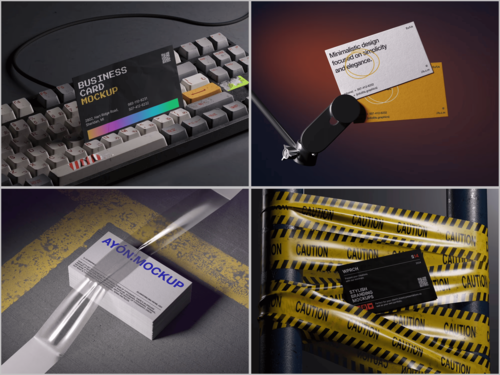
Their business card mockup collection stands out through premium quality and ultra-realistic rendering that makes designs look genuinely printed. Each file features organized, clearly labeled layers, so swapping artwork takes seconds. The collection spans many angles and perspectives, from overhead flatlays to dramatic close-ups, with varied color styles — from dark moody tones to clean bright whites. Compositions feel stylish without being overdone. The Edit Online feature lets you preview designs directly in a browser without Photoshop. And a generous selection of free scenes means you can explore the quality before committing. Built by designers, for designers.
Conclusion
AI-generated mockups are a fascinating experiment — and they’re improving fast. But today, they remain tools for ideation, not final delivery. The gap between a generated image and a professional, client-ready mockup is still meaningful.
That’s why platforms like ls.graphics continue to matter. Real craftsmanship, real reliability, real results. Until AI can replicate all three consistently, smart designers will keep one foot in the future and both hands on proven resources.
The best mockup isn’t always the newest one. It’s the one that makes your client say yes.